
WordPress
 Initially released back in 2003 by founders Matthew Charles Mullenweg and Mike Little WordPress is a web content management system (CMS).
It was originally created as a tool to publish blogs but has evolved to support publishing other web content, including more traditional websites, mailing lists and internet forums, media galleries, membership sites, learning management systems and online stores.
WordPress is an open-source content management system (CMS) software used to build, modify, and maintain websites. In technical terms, WordPress is written in PHP and run on a MySQL or MariaDB database. In addition, WordPress features include plugins and themes, among others.
It’s a popular tool for individuals without any coding experience who want to build a blog or website. WordPress is an excellent website platform for a variety of websites. From blogging to e-commerce to business and portfolio websites.


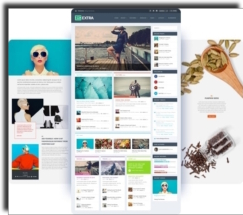


What’s The Difference Between A Blog and A Website?
A website focuses more on “static” pages. Static pages are pages of content that don’t frequently change, like an About Us page or a Contact Us page. A blog has more dynamic content. Blog posts, or articles, are published by the blog owner regularly and can appear in social feeds or be emailed to subscribers.
Types Of Web Sites Built | With WordPress
- Amazon affiliate site
- Blog Website
- Brochure Website
- Charity Website
- Ebay Affiliate Site
- Entertainment Website
- Drop shipper Site
- eCommerce Website
- Educational Website
- Online Booking Site (e.g. MOT Station, B & B, Hair Saloon, Dentist)
- Membership Website
- News and Magazine Website
- Online Job Website
- Personal Website
- Portfolio Website
- Online Job Website
- Social Forum Website
- Directory Site
- Wiki or Community Site



WordPress Alternatives
Undoubtedly the best part about WordPress is that it is not only free, it’s easy to use and flexible enough to make different types of websites. That’s the main reason why WordPress has grown so much in popularity. However there are alternatives to WordPress, the Forbes Advisor has a comprehensive review on WordPress alternatives which we recommend you reviewing.
- CMS Hub
- Drupal
- Joomla
- Shopify
- Prestashop
- Magento
- Webflow
- Concrete5
- TYPO3
- Ghost
Research
Whether you looking at creating a personal blog or a company store or a site for a school or a charity site, you will need to do some research and costings. WordPress websites pricing varies because every business’s or organisation design and development needs are unique. Then there’s the annual hosting costs and ongoing maintenance costs of a website.
As you can see below the most common maintenance costs are domain name registration and renewal’s. SSL certificate, and software or web hosting renewal. Other costs might include purchasing additional extensions or investing in a major website redesign.
Many premium WordPress plugins require annual subscriptions. Although WooCommerce is free there are many premium plugins that maybe required for an online store.
Breakdown: Costs Of Maintaining A Website
This is the process of keeping a website up-to-date, error-free and optimised for search engine and users. This includes website maintenance tasks like regularly backing up your website, updating your website content and ensuring that all your plugins are up-to-date, and managing the hosting and domain renewals.
- Domain Name
- SSL certificates
- Web hosting/Email hosting
- Technical support
- Search engine optimisation
- Content updates
- General updates
- Themes
- Plugin updates
- Pro Plugins Annual Fees
