Password Protected Plugin

Password Protected Plugin

A strong option for locking down a WordPress site is the Password Protected plugin, which lets you secure your entire site, individual pages, posts, categories, WooCommerce products, or even partial content. It’s a lightweight, widely used solution that adds flexible access control without complex setup.


What The “Password Protected” Plugin Does

  • Protect the entire WordPress site behind a single password.
  • Lock individual posts, pages, or categories, including WooCommerce categories and products.
  • Secure partial content using shortcodes.
  • Add brute‑force protection with login‑attempt limits.
  • Protect the wp‑admin login page for an extra security layer.

Why Use It?

  • Useful for private sites, internal company portals, staging sites, or personal journals.
  • Helps control access during development or when sharing sensitive content.
  • Works alongside WordPress’s built‑in password protection, but offers far more flexibility.

Alternatives & Additional Methods

If you need different levels of control, WordPress also supports:

  • Built‑in password protection for individual posts/pages.
  • Server‑level protection (e.g., via .htaccess).
  • Other plugins that offer site‑wide or partial protection.

Free Ways To Protect Your Entire Site

You can also password‑protect your whole WordPress site for free using simple configuration steps—no coding required. This is often used for private family sites, employee‑only portals, or personal databases.Commercial plugin: This plugin is free but offers additional paid commercial upgrades or support.

“Password Protected” Lock Entire Site, Pages, Posts, Categories, and Partial Content” is open source software.


WordPress A Free Website Builder

WordPress is free to download, along with a number of plugins, but you’ll have to purchase web hosting and a custom domain to get a live site up and running. Nearly 43% of the world’s websites use WordPress to build their site. Follow the steps below to build a website with WordPress.


WordPress Video Tutorials WordPress Plugin eCommerce Plugin SEO

1. Choose A Domain Name:

The first step is to choose a domain name for your website. This is the address people will use to visit your site, such as www.yourwebsite.com. You can register a domain name through a domain registrar like GoDaddy or Namecheap.


2. Purchase Web Hosting:

Web hosting is where your website’s files are stored and made accessible to visitors. There are various web hosting providers available, such as Bluehost or SiteGround. Choose a hosting plan that suits your needs and purchase it.


3. Install WordPress:

Most web hosting providers offer a one-click WordPress installation option. Log in to your hosting account and follow the instructions to install WordPress on your domain.


4. Choose A Theme:

Themes control the appearance and layout of your website. There are many free and premium WordPress themes available. You can browse the WordPress theme directory or use a marketplace like ThemeForest to find a theme that matches your vision.


5. Customise Your Website:

Once you have installed a theme, you can customise it to fit your needs. WordPress provides a built-in customiser that allows you to change various aspects of your website, such as colors, fonts, and layout. You can also install plugins to add functionality to your site.


6. Create Pages And Content:

Start by creating the essential pages for your website, such as the home, about, and contact pages. Then, add content to these pages using the WordPress editor. You can add text, images, videos, and more.


7. Install Plugins:

WordPress plugins are like extensions that add additional features and functionality to your website. You can find plugins for things like contact forms, SEO optimization, security, and more. Install and activate plugins that meet your needs.


8. Optimise Your Site For SEO:

Search Engine Optimisation (SEO) is important for improving your website’s visibility in search engine results. Install an SEO plugin like Yoast SEO and optimize your pages and content for search engines. This includes writing meta tags, optimizing images, and improving your site’s speed.


.9. Test And Publish:

Before launching your website, thoroughly test it for any issues or errors. Ensure that your website is responsive, works well on different devices, and loads quickly. Once you are satisfied with the result, publish your website for the world to see.


10. Maintain And Update:

After launching your website, it’s important to regularly maintain and update it. This includes updating WordPress, themes, and plugins to ensure your site remains secure and performs well. Create regular backups of your website to protect against any data loss. By following these steps, you can successfully build a website with WordPress.

Remember, practice and experimentation are key to mastering the WordPress platform. WordPress is generally considered relatively easy to learn for basic use, but mastering advanced features and development can be challenging. While creating and publishing content is straightforward, customising and developing with WordPress can require more time and effort.

The platform’s vast ecosystem of themes and plugins, while powerful, can also present a learning curve for beginners. However, the extensive online resources and supportive community can help users navigate these challenges.


Disclaimer Read More

The information provided on this site is for general informational purposes only and does not constitute professional advice. Use of any information is solely at your own risk. We also accept no responsibility or liability for the personal opinions published in views, blog posts, opinion pieces or articles that comprise opinion pieces.


Websites Made Easy Banner

How Does A Product Feed Work?

Amazon Store


PRODUCT FEEDS 

Product feeds  are essential for ecommerce businesses because they serve as the foundation for listing and managing products across various online platforms.  Product feeds can be used to display, advertise, and sell products on multiple channels such as Google, Facebook, Instagram, or Amazon.

A product feed is a digital file, often in formats like CSV, XML, or JSON, that contains structured information about products sold by an online retailer. It typically includes details such as product title, description, price, availability, images, brand, SKU (Stock Keeping Unit), and other relevant attributes.  A product feed acts as a bridge between an online shop and external sales channels, ensuring that product information is efficiently and accurately shared wherever your customers are shopping.   

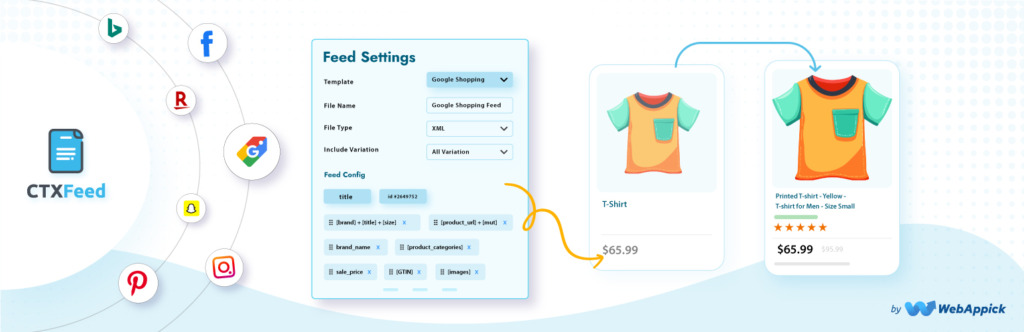
WooCommerce feed plugins enable merchants to generate product feeds for Google Shopping, Facebook/Instagram, TikTok, and over 100+ platforms to increase visibility. Leading options include Product Feed PRO by AdTribes, CTX Feed, and Product Feed Manager for WooCommerce. These tools offer features like unlimited feeds, category mapping, and automatic synchronisation.


Benefits Of Using Product Feeds

Top WooCommerce feed plugins enable merchants to generate product feeds for Google Shopping, Facebook, Instagram, TikTok, and over 100+ platforms to increase visibility. Leading options include Product Feed PRO by AdTribes, CTX Feed, and Product Feed Manager for WooCommerce. These tools offer features like unlimited feeds, category mapping, and automatic synchronisation.

• Enables automated product listing and management across multiple channels
• Helps maintain consistency and accuracy in product information
• Makes it easier to scale and reach more customers through various platforms
• Simplifies synchronisation of inventory and pricing


How A Product Feed Works

1. Creation: Retailers generate a product feed from their e-commerce platform or inventory management system. This feed is kept up to date with the latest product information.

2. Submission: The feed is uploaded or automatically sent to various e-commerce channels such as Google Shopping, Amazon, Facebook Marketplace,  or price comparison sites.

3. Processing: The channel imports the feed, reads the product data, and checks for errors or missing information. Channels may require the feed to meet specific formatting and content guidelines.

4. Display: Valid product listings are displayed on the channel’s platform, allowing customers to browse, search, and compare products.

5. Updates: The feed is updated regularly (sometimes multiple times a day) to reflect changes in stock, pricing, or product details, ensuring that listings are accurate and up to date.


Key Features To Look For

An optimised “product feed” is the foundation of successful e-commerce advertising on platforms like Google Shopping, Facebook, and Instagram. It acts as the data source that informs algorithms what you are selling and to whom.

  • Multi-Channel Support:  Ability to generate feeds for Google, Facebook, TikTok, Bing, and Pinterest.
  • Automated Updates:  Scheduled feed updates ensure inventory and pricing remain accurate across channels.
  • Product Filtering:  Rules to exclude out-of-stock items or specific categories.
  • Attribute Mapping:  Flexibility to map WooCommerce data to required channel fields.

These plugins often offer freemium models, with free versions covering basic needs and pro versions providing unlimited, faster, and more advanced features. 


Paying For Product Feeds

Paying for product feeds involves using a third-party service or platform to manage and distribute your product data across various online channels. This often includes creating, optimising, and maintaining the product feed, which is a structured file containing product information. These services can help automate updates, improve data accuracy, and expand your reach to new sales channels, ultimately boosting sales and revenue.


Top WooCommerce Feed Plugins

Top WooCommerce feed plugins enable merchants to generate product feeds for Google Shopping, Facebook/Instagram, TikTok, and over 100+ platforms to increase visibility. Leading options include Product Feed PRO by AdTribes, CTX Feed, and Product Feed Manager for WooCommerce. These tools offer features like unlimited feeds, category mapping, and automatic synchronisation.


CTX Feed – WooCommerce Product Feed Generator:


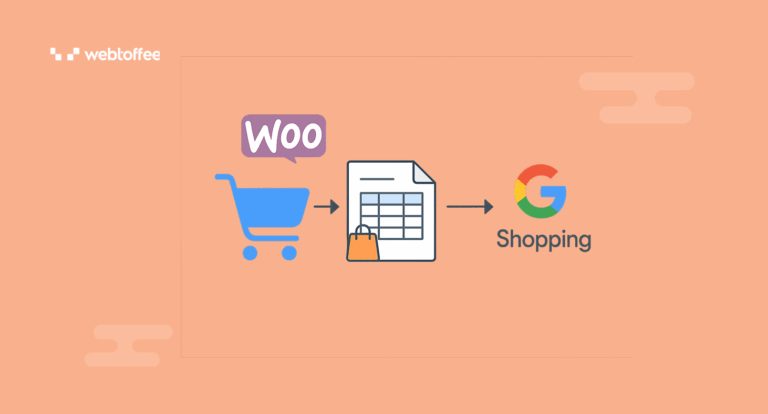
WebToffee Product Feed for WooCommerce: Designed to create optimised feeds specifically for social commerce platforms.


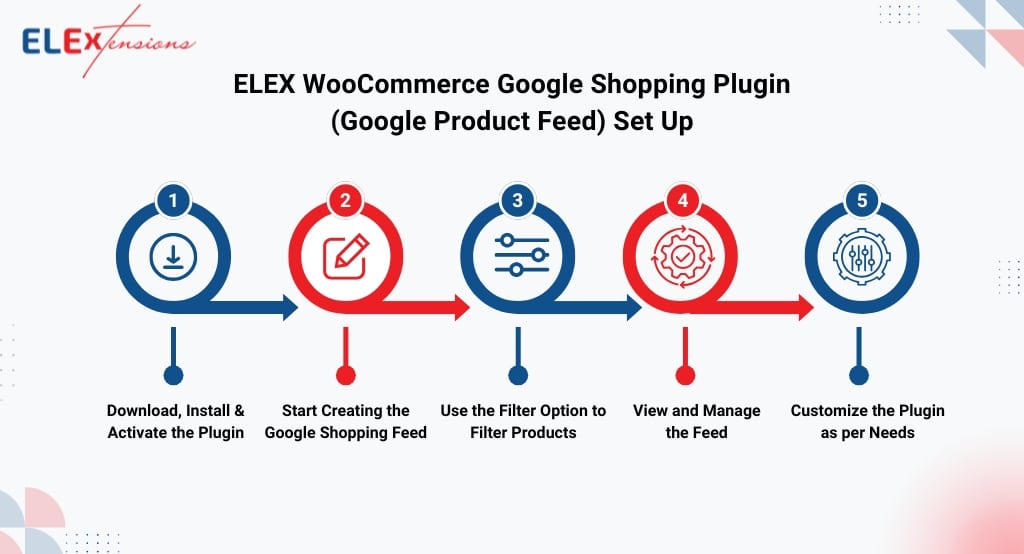
ELEX WooCommerce Google Shopping Feed: Offers high-level control and precise customisation specifically for Google Shopping feeds. 

ELEX WooCommerce Google Shopping Feed


Create A WordPress Website
WordPress Image Gallery Plugin

WordPress Websites 

Are you looking to setup your own website?  Build your website with WordPress in 5 steps: Choose your identity, design your homepage, create pages, set up menus, and add social media. WordPress is ideal for new businesses due to its low cost, ease of use, vast customisation via themes/plugins, strong SEO capabilities, and scalability, allowing a site to grow from simple to complex, handle e-commerce (with WooCommerce), integrate tools, and provide full ownership as the business builds its online presence.

W3Techs reports that around 43.5% of all websites on the web use WordPress. These include websites that run on a content management system (CMS), without a CMS, and custom-coded CMS’s. This means that well over one-third of the entire internet runs on WordPress. Around 541 million websites are built on WordPress . WordPress dominates the CMS market with a 60.8% share.


WordPress Themes

There are over 30,000 WordPress themes available across various marketplaces, including both free and premium options. The official WordPress Theme Directory alone features over 13,000 free themes. WordPress is one of the most popular platforms for building websites, offering flexibility and ease of use for beginners and professionals alike.


Step 1: Choose a Domain Name and Hosting Provider

  • Domain Name: Choose a unique and memorable domain name that reflects your website or business.
  • Hosting Provider: Select a reputable hosting provider that supports WordPress

Register your domain and purchase a hosting package. Many hosts offer a one-click WordPress installation feature.


Step 2: Install WordPress

  • Log in to your hosting account.
  • Locate the WordPress installer (usually found in the control panel or dashboard).
  • Follow the prompts to complete the installation.

Once installed, you will receive login details for your WordPress admin area (usually at yourdomain.com/wp-admin).


Step 3: Choose and Install a Theme

  • Log in to your WordPress admin area.
  • Go to Appearance > Themes.
  • Click Add New to browse free themes or upload a premium theme.
  • Preview and activate your chosen theme.

Themes control the look and feel of your website. Choose one that suits your brand and is responsive to mobile devices.


Step 4: Customise Your Website

  • Go to Appearance > Customise to adjust site title, colours, menus, and more.
  • Add your logo and set up your homepage under Settings > Reading.
  • Create essential pages such as Home, About, Services, and Contact.

Step 5: Add Plugins
  • Navigate to Plugins > Add New.
  • Search for and install plugins to add features like contact forms, SEO tools, galleries, and security.
  • Popular plugins include Yoast SEO, Contact Form 7, and Wordfence Security.

Step 6: Create Content
  • Go to Posts for blog entries or Pages for static content.
  • Use the WordPress editor to add text, images, and multimedia.
  • Organise content using categories and tags for better navigation.

Step 7: Launch Your Website
  • Double-check all pages and links for errors.
  • Set your website to public under Settings > Reading.
  • Promote your website via social media and other channels.
Tips:  For Success
  • Keep your themes and plugins updated.
  • Regularly back up your website.
  • Monitor site performance and visitor analytics.

Conclusion

With these steps, you can set up a professional website using WordPress, whether for a online shop, personal blog, portfolio, or business. Explore WordPress’s vast resources and community for further customisation and support.

Should you need assistance  creating  your website, online store,  registering your business  in directories, setting-up your  Google Profile and Bing Places please get in touch using our  online form or send us an email enq@computer-tutors.co.uk


Websites Made Easy with wordpress

Fix 404 Errors


Fix 404 Errors

0:00 – Intro 0:33 – Free Plugin: Redirection
1:22 – How the plugin works
1:53 – Checking the Redirect Log and 404 Errors

Redirection is the most popular redirect manager for WordPress. You can easily manage 301 redirections, keep track of 404 errors, and fix loose ends. This can help reduce errors and improve your site ranking.

Redirection is designed to be used on any size site, from a few redirects to thousands of redirects. It has been a WordPress plugin for over 10 years and has been recommended many times. And it’s free! 


Formidable Forms is the ONLY WordPress form plugin you’ll ever need. From contact forms to WordPress applications, find out why Formidable Forms is the perfect WordPress form solution for you!


Redirection is the most popular redirect manager for WordPress. You can easily manage 301 redirections, keep track of 404 errors, and fix loose ends. This can help reduce errors and improve your site ranking.


Redirection is designed to be used on any size site, from a few redirects to thousands of redirects. It has been a WordPress plugin for over 10 years and has been recommended many times. And it’s free! A 404 error, often labeled “404 Not Found,” occurs when  a web server can’t locate the requested page or resource. This usually happens because the URL is incorrect, the page has been moved or deleted without a redirect, or there are broken links. Essentially, the server acknowledges the request but can’t fulfill it due to the absence of the specified resource. 


    • Moved or Deleted Page:

      If a page has been moved to a new URL or deleted without setting up a redirect, users trying to access the old address will encounter a 404. 

    • Broken Links: 

      Links within a website or from other websites that point to a non-existent page can also trigger a 404 error. 

    • Server Issues: 

      In some cases, server problems or incorrect configurations can also lead to 404 errors, even if the page exists. 

    •  Issues:

      Problems with the Domain Name System (DNS) can also prevent the server from being located, resulting in a 404. 

    • Incorrect File Permissions: 

      Incorrect file permissions can prevent access to a page, causing a 404. 


Corrupted .htaccess File: 
In some cases, a corrupted or misconfigured .htaccess file can also cause 404 errors.
Ecommerce Plugins for WordPress
Woocommerce Plugins
  1. WooCommerce
  2. BigCommerce for WordPress
  3. Shopify
  4. Ecwid Ecommerce Shopping Cart
  5. Easy Digital Downloads.
  6. Cart66 Cloud. (Now WP EasyCart)
  7. WP eCommerce
  8. Jigoshop eCommerce
  9. Unlocking E-Commerce Potential with WordPress

Ecommerce Plugins

Ecommerce plugins, particularly for platforms like WordPress, allow websites to function as online stores by adding e-commerce features like product listings, shopping carts, payment processing, and order management. They transform a standard website into a fully functional online shop. Ecommerce plugins, particularly for platforms like WordPress. Below are links taking you to the various plugins.

The WordPress Repository, also known as the WordPress Plugin Repository, is a directory of free and open-source plugins that can be used to extend and customise the functionality of WordPress websites. It is maintained by the WordPress community and can be accessed directly from a WordPress site’s dashboard.

WooCommerce has thousands of plugins  available. A large number of plugins are available on WordPress.org and CodeCanyon. Specifically, there are over 6,000 plugins listed in the WordPress plugin database. CodeCanyon offers over 1,564 WooCommerce plugins. Additionally, WooCommerce.com has over 1,000 official extensions.  The total number of plugins available is likely much higher, as many third-party developers offer their own plugins.


Here’s a more detailed look:

What they do:

Enable online sales: Ecommerce plugins enable the core functionality of selling products online.

Manage products and inventory: They allow you to add, manage, and categorise products, track stock levels, and more.

Handle payments: They integrate with various payment gateways to securely process transactions.

Manage orders: They provide tools for tracking orders, managing shipping, and handling customer communication.

Enhance customer experience: Features like product reviews, wishlists, and personalised recommendations improve the shopping experience.

Offer marketing tools: Some plugins offer features like coupons, discounts, and email marketing integration to boost sales.


Popular Ecommerce Plugins for WordPress:

WooCommerce:  The most popular WordPress e-commerce plugin, known for its flexibility and extensive features. It’s free to use, but additional features are available through extensions and themes.

Easy Digital Downloads:  A specialised plugin for selling digital products like ebooks, software, or online courses.

Ecwid Ecommerce Shopping Cart:  A plugin that allows you to add a shopping cart to any website, including WordPress, with features like mobile-first design and multi-channel sales.

Shopify:  While not strictly a WordPress plugin, Shopify offers its own platform for building e-commerce stores and integrates with WordPress via a plugin, allowing you to showcase your Shopify products on your WordPress site.

BigCommerce:   Another popular e-commerce platform that also offers a WordPress integration plugin.


Benefits Of Using Ecommerce Plugins:

Increased sales and revenue: 

By streamlining the sales process and offering a better shopping experience, e-commerce plugins can lead to increased sales and revenue.

Expanded reach:

Online stores can reach a wider audience than physical stores.

Improved customer engagement:

Features like product reviews, personalised recommendations, and customer accounts enhance customer engagement.

Data-driven insights:

Ecommerce plugins often provide analytics that allow you to track sales performance, customer behavior, and make informed decisions.

Cost-effectiveness:

Many e-commerce plugins are free or offer affordable premium versions, making it accessible for businesses of all sizes.

Over 6 million websites globally use the WooCommerce plugin for their online stores. This makes it one of the leading e-commerce platforms. This makes it a very popular choice for eCommerce businesses, with an estimated 39% of the global eCommerce market share, according to More Awesome Web. Approximately half of these WooCommerce-powered sites are located in the United States.


Unlocking E-Commerce Potential with WordPress

WooCommerce has established itself as one of the premier e-commerce solutions for WordPress users worldwide. As a flexible, powerful, and user-friendly plugin, WooCommerce enables businesses—both large and small—to create, manage, and scale online stores with remarkable ease. Below, we explore the myriad of benefits that come with using WooCommerce for your e-commerce needs.


1. Seamless Integration with WordPress

One of the standout features of WooCommerce is its seamless integration with WordPress, the world’s most popular content management system. This integration means that users familiar with WordPress will find it intuitive to set up and manage their online shops. WooCommerce takes advantage of WordPress’s robust framework, enabling users to create e-commerce functionalities without having to leave the environment they know.


2. Open Source and Cost-Effective

WooCommerce is an open-source plugin, which means it is free to download, install, and use. As an open-source platform, WooCommerce benefits from a vast community of developers who contribute new features, fix bugs, and create extensions. This fosters innovation and ensures that users are not locked into expensive licensing fees or proprietary software restrictions, making WooCommerce a highly cost-effective solution, especially for startups and small businesses.


3. Extensive Customisation Options

With WooCommerce, the power of customization is in your hands. There are thousands of free and premium themes and extensions available, allowing you to design and extend your store precisely as you envision. Whether it’s customizing the look and feel of your storefront, adding new payment gateways, or integrating advanced shipping methods, WooCommerce’s modular system provides the flexibility to tailor your shop to meet specific business needs.


4. Advanced Product Management

WooCommerce supports a vast range of product types, including physical goods, digital products, subscriptions, memberships, bookings, and even affiliate items. Its product management features allow for easy categorization, tagging, and filtering. You can set up product variations, inventory levels, sales, and discounts with just a few clicks. For businesses with extensive product catalogs, the plugin provides bulk editing tools and import/export options to streamline operations.


5. Scalable to Support Growth

Whether you are running a small boutique or a large enterprise, WooCommerce can scale with your business. The platform’s architecture is robust enough to accommodate thousands of products and handle high traffic volumes. As your store grows, you can add new features, integrate with external services, and optimize your site’s performance using caching tools, content delivery networks (CDNs), and more.


6. Secure and Regularly Updated

Security is a primary concern for any e-commerce business. WooCommerce is regularly updated to address vulnerabilities and improve performance. The development team works closely with WordPress and other security experts to ensure the platform remains safe and secure. Additionally, there are numerous third-party plugins for firewalls, malware scanning, and SSL integration to further enhance security.


7. Wide Range of Payment Gateways

WooCommerce offers built-in support for major payment gateways such as PayPal, Stripe, Square, and direct bank transfers. With its extensible architecture, you can integrate additional payment options to cater to your customers’ preferences, from credit cards to cryptocurrencies. This flexibility ensures a frictionless checkout experience, which can significantly improve conversion rates.


8. Shipping and Tax Flexibility

Managing shipping and tax can be complex, especially for stores selling internationally. WooCommerce provides powerful tools for configuring shipping zones, rates, and methods. You can offer flat rate, free, or real-time shipping calculations, and integrate with major carriers for automated rate updates. Its advanced tax settings allow you to configure rules based on location, product type, or customer group, helping you stay compliant with global tax regulations.


9. Extensive Reporting and Analytics

Data-driven decisions are essential for growth. WooCommerce includes comprehensive reporting features that allow you to track sales, customer behavior, inventory levels, and more. Visual dashboards and exportable reports present key metrics in an easily digestible format. For more advanced analytics, WooCommerce can be integrated with Google Analytics and other business intelligence platforms.


10. Strong Community and Support

The WooCommerce community is vibrant and supportive. With millions of active users, you can find answers to almost any question on forums, blogs, and social media groups. Official documentation is thorough and regularly updated, and WooCommerce offers dedicated customer support options for premium users. Additionally, a vast ecosystem of developers and agencies offers services ranging from custom development to store optimisation.


11. Mobile-Friendly and Responsive

In today’s mobile-first world, it’s crucial for online stores to look and perform well on every device. WooCommerce themes are designed to be responsive, ensuring your storefront is optimized for desktops, tablets, and smartphones. The plugin also supports mobile apps, allowing you to manage your store and receive real-time notifications while on the go.


12. Search Engine Optimisation (SEO) Friendly

SEO is vital for attracting organic traffic. WooCommerce, built on WordPress, inherits a strong foundation for SEO best practices. It offers clean code, customizable URLs, meta descriptions, and compatibility with popular SEO plugins like Yoast and All in One SEO. These features empower store owners to optimize their product pages and improve search engine rankings effectively.


13. Multilingual and Multicurrency Support

For businesses targeting international customers, WooCommerce offers robust multilingual and multicurrency capabilities. Through integration with plugins such as WPML or Polylang, you can translate your store into multiple languages. Currency switcher plugins enable dynamic currency display and conversion, making it easier to sell globally.


14. Marketing and Promotional Tools

WooCommerce comes equipped with a variety of marketing features, including coupon management, email marketing integration, product reviews, and up-sell/cross-sell tools. It also supports third-party marketing platforms, affiliate programs, and social media integration, helping you attract, engage, and convert more customers.


15. Ownership and Independence

Unlike SaaS (Software as a Service) e-commerce platforms, WooCommerce gives you full ownership of your store and data. You are not tied to a third-party service or subject to sudden changes in terms or pricing. This independence allows you to scale, customise, and adapt your store as your business evolves, with no restrictions on how you use your data.


16. Easy Store Management

The WooCommerce dashboard is user-friendly and designed to simplify store management. Features such as order tracking, automated emails, inventory management, and customer notifications are built in. The plugin’s intuitive interface helps even non-technical users manage their e-commerce operations efficiently.


17. Eco-System of Extensions and Add-Ons

WooCommerce’s power extends far beyond its core functionality. There is a vast marketplace of extensions and add-ons—both free and premium—covering every conceivable need. Whether it’s advanced booking systems, subscription management, integration with accounting software, or enhanced product search, there’s an extension to suit.


18. Regular Improvements and Innovation

The WooCommerce team and wider development community are constantly innovating, rolling out new features and improvements in response to changing e-commerce trends. This commitment to ongoing development ensures your online store stays competitive and equipped with the latest technology.


Conclusion

WooCommerce stands as a comprehensive, flexible, and scalable solution for anyone looking to build an online store with WordPress. Its seamless integration, open-source nature, and endless customisation options make it a popular choice for businesses of all sizes.

Whether you’re selling physical goods, digital products, or services, WooCommerce provides the tools, support, and security necessary to succeed in the modern e-commerce landscape.

Embracing WooCommerce is not just about building a store—it’s about unlocking your business’s potential and future growth.



Websites Made Easy

Build A Directory Website


Create A Directory Site Using WordPress

Creating an “online directory site” is  a good way of generating an income. You can launch different types of directory websites targeting specific “niches”. For example, you can create a restaurant directory, wedding vendor directory, home services directory, or pet services directory.

If you’re looking to create a directory website using  WordPress would be good choice. To build a directory website with WordPress, you just need two things – a WordPress website and a WordPress directory plugin. There are  various FREE WordPress plugins available to help you get started, each with its own strengths and features. Whether you need a simple address book, a classified ads section, or a business directory, a plugin on this list will fit your needs.


WordPress Directory Plugins

      1. Advanced Classifieds & Directory Pro – ACADP is a professional, powerful, flexible, high quality directory plugin, you can create any kind of directory site.
      2. AWP Classified – Add a classified ads section to your WordPress site, quickly and easily with AWP Classifieds (formerly known as AWPCP or Another WordPress Classifieds Plugin).
      3. Directorist  – WordPress Business Directory Plugin with Classified Ads Listings.
      4. GeoDirectory – This Plugin will turn any WordPress theme into a global business directory portal.  This plugin allows you to create a location-based business directory similar to popular sites such as Yelp or YellowPages.
      5. Connections Business Directory You can use Connections to create a simple address book, maintain a staff or member directory and run a business directory or link directory
      6. HivePress – Business Directory & Classified Ads WordPress Plugin. A simple yet powerful plugin to create a business directory, job board, real estate, classified ads, or basically any type of directory website.

Requirements

To build a directory website with WordPress, you just need two things –

  • a WordPress website and
  • a WordPress directory plugin, Directorist.

This link will take you to Paul Hoda site, Paul   has  listed all web directories hosted in the UK.


Business Directory Plugin

Create any kind of directory on your WordPress site, easily. Build the directory you want with our simple Business Directory Plugin!

Business Directory Plugin is perfect for business owners, bloggers, designers, developers, photographers, freelancers, agencies, and basically everyone else. If you want to create a custom WordPress directory, then you need to use Business Directory Plugin.